Reading an answer
Cards, and the one-word-at-a-time mode for when glancing is too obvious.
Answers render as cards rather than a wall of prose, because the thing you need in an interview is the shape of the answer at a glance, not a paragraph to read aloud.
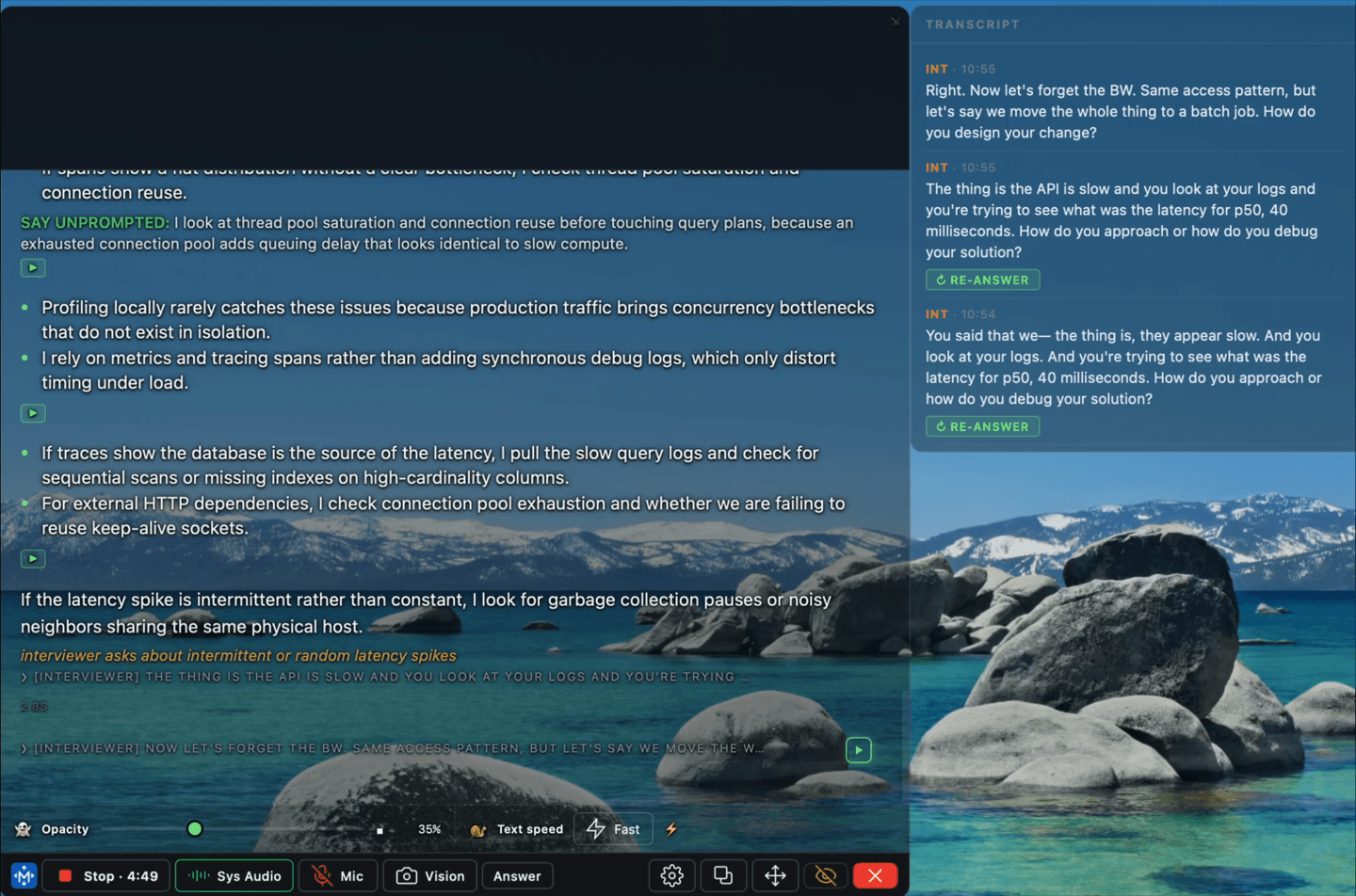
An answer begins rendering before it is complete. What is on screen is what is ready; the rest arrives as it is generated.
The glance reader
The glance reader is a rolling word strip that sits directly under your camera, so you read without your eyes leaving the interviewer. Press S to toggle it; [ and ] change the pace.
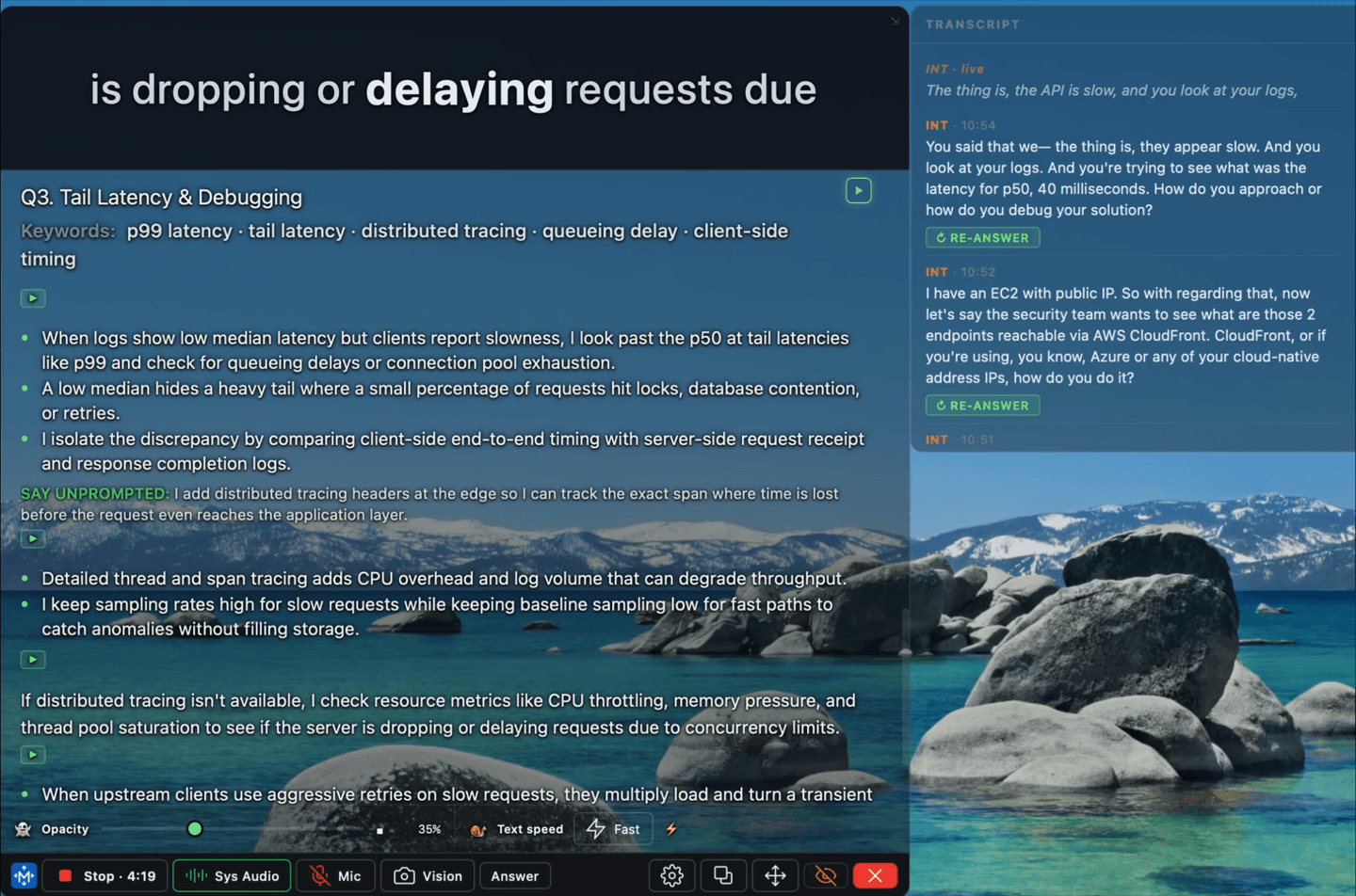
It has three modes, in Settings › Reading › Glance reader:
| Mode | What it does |
|---|---|
| spritz | One group of words at a time, in a fixed position. Your eyes do not move at all. |
| loop | Replays the current answer continuously. |
| latest | Jumps to the newest answer as it arrives. |
Everything about the strip is adjustable on that same tab — pace in words per minute, text size, how many words show at once, the strip's height, and font weight. Height is fixed rather than automatic on purpose: a strip that resizes under your eye as words change is harder to read than a slightly-too-big one.
It is worth practising — this way of reading takes some getting used to.
The reasoning behind it, the trade-off it makes, and how to set the pace are in Why the glance reader exists.
Ask again
If an answer misses the question, ask again from the answer card. Nothing is re-transcribed — the same question is reconsidered.
For a hard problem read off the screen, there is a stronger lane. See On-screen questions.