Why the glance reader exists
Reading normally is visible on camera. This is the part of the product designed around that.
Every other feature answers the question. This one is about the ten seconds afterwards, when you have an answer on screen and have to get it into your mouth without looking like you are reading it.
The problem is eye movement, not reading speed
Reading is not a smooth sweep. Your eyes move in saccades — short jumps of a few words, four or five times a second, with brief stops in between. Then they jump back to the start of the next line, and back again whenever something did not parse the first time.
On a video call, that is the tell. Not the pause, not the glance — the rhythm. A person thinking holds their gaze roughly still and unfocused. A person reading produces a repeating left-to-right-and-back pattern, and it reads as reading to anyone watching, even someone who could not say why.
Making the text bigger does not help. Bigger text means longer sweeps.
What the glance reader does about it
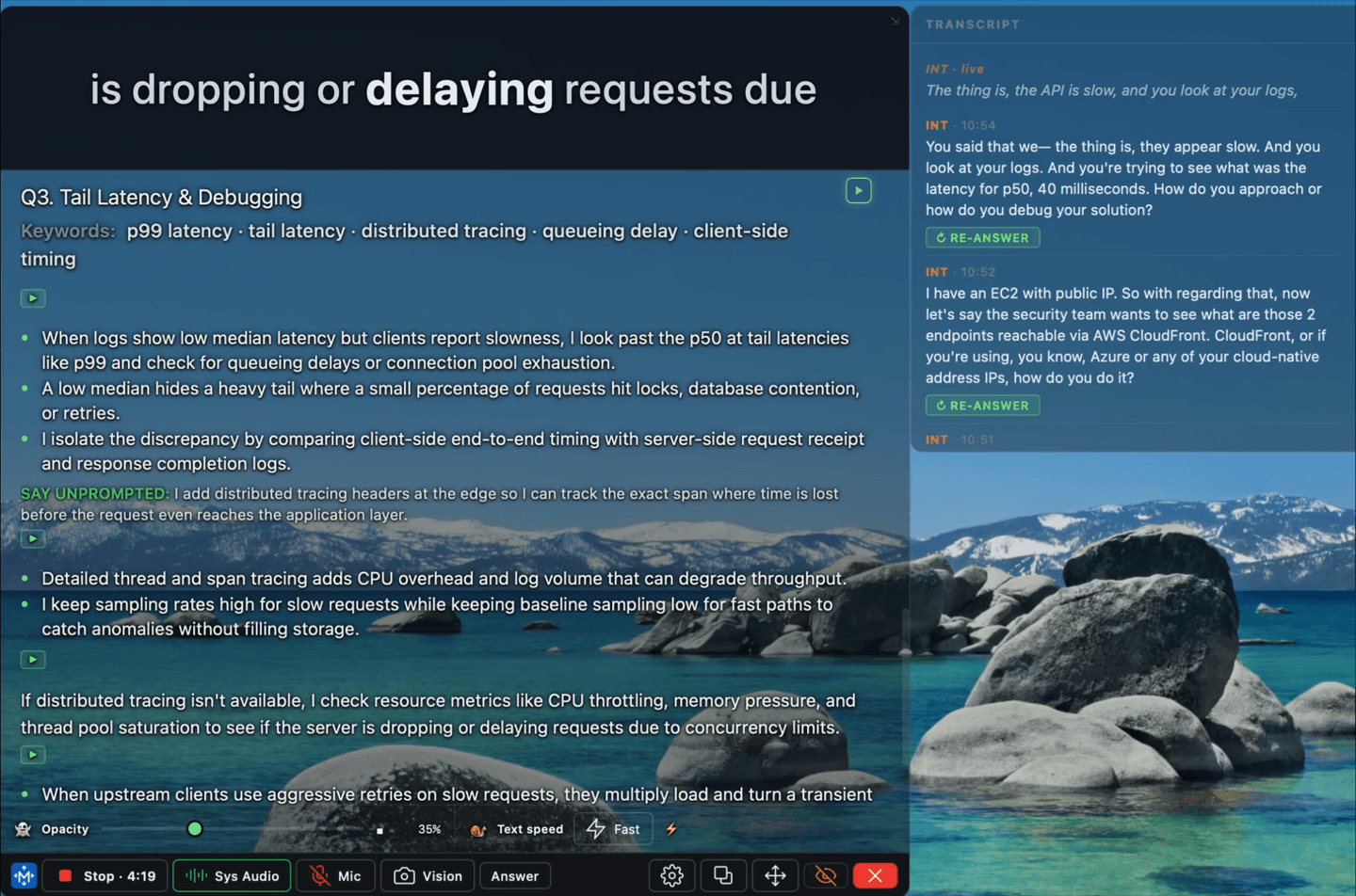
It shows a few words at a time in one fixed position, replacing them in place. There is no line to sweep, no line-end to jump back from, and nothing to scan.
Two consequences:
- Horizontal eye movement goes to nearly zero. The words come to your eye instead of your eye going to the words.
- Position is a choice you make once. The strip sits directly under your webcam — Snap under camera puts it there — so the small residual movement happens within a couple of degrees of the lens. To the other person your gaze is on them.
The honest trade-off
This technique costs you something, and it is worth knowing what.
Normal reading lets you regress — flick back a few words when a sentence does not land. A fixed strip takes that away: once a group is gone it is gone, and if you lose the thread there is no glancing back. For dense material that is a real comprehension cost, and it is why the full answer card stays on screen underneath the strip. The strip is for delivery; the card is for when you need to actually look at something.
It is also why loop exists as a mode. On a passage you are still working through, loop replays it rather than making you catch it once.
Why the dial is words-per-minute
The pace control used to set the gap between groups in milliseconds. That is not a reading speed. The reading speed is words per group ÷ gap, so widening the strip silently made it faster, and the same millisecond value felt different on every answer.
Worse, it worked backwards at the edges: slowing the gap made a long answer take longer than the gap before the next answer arrived, so the strip got reset before finishing more often — and "slower" presented as faster.
Words per minute is a unit a reader has an opinion about, and it holds steady when you change the group size. The milliseconds are derived from it and never stored.
| Control | Range | Default |
|---|---|---|
| Pace | 60–400 wpm | 150 wpm |
| Words per group | 3–9 | 6 |
Most people speak between 120 and 160 wpm. Setting the strip near your own speaking pace means you are reading roughly as fast as you are talking, which is the point — you want to arrive at the end of the strip and the end of your sentence together.
Why the strip has a fixed height
Because a box that resizes under your eye is harder to read than one that is slightly too tall.
If the strip grew and shrank as word lengths changed, the text would shift vertically several times a second, directly under your gaze — reintroducing the eye movement the whole design exists to remove. The height is set once in Settings and does not move.
Why the text is heavier than it looks like it needs to be
The HUD is semi-transparent, so the strip is read against whatever is behind it — usually a bright document or an IDE. Thin type on a moving background loses its edges. The Text weight control exists for that, and it is worth raising if you also lower the opacity.