Clicking through the HUD
Type into the editor underneath without moving the window.
The HUD floats above everything, which means by default a click on it goes to it — not to the editor behind it. During a coding exercise that is exactly wrong: the answer wants to sit over the problem, and the problem is where you need to type.
Turn on click-through and clicks pass straight through the window to whatever is underneath.
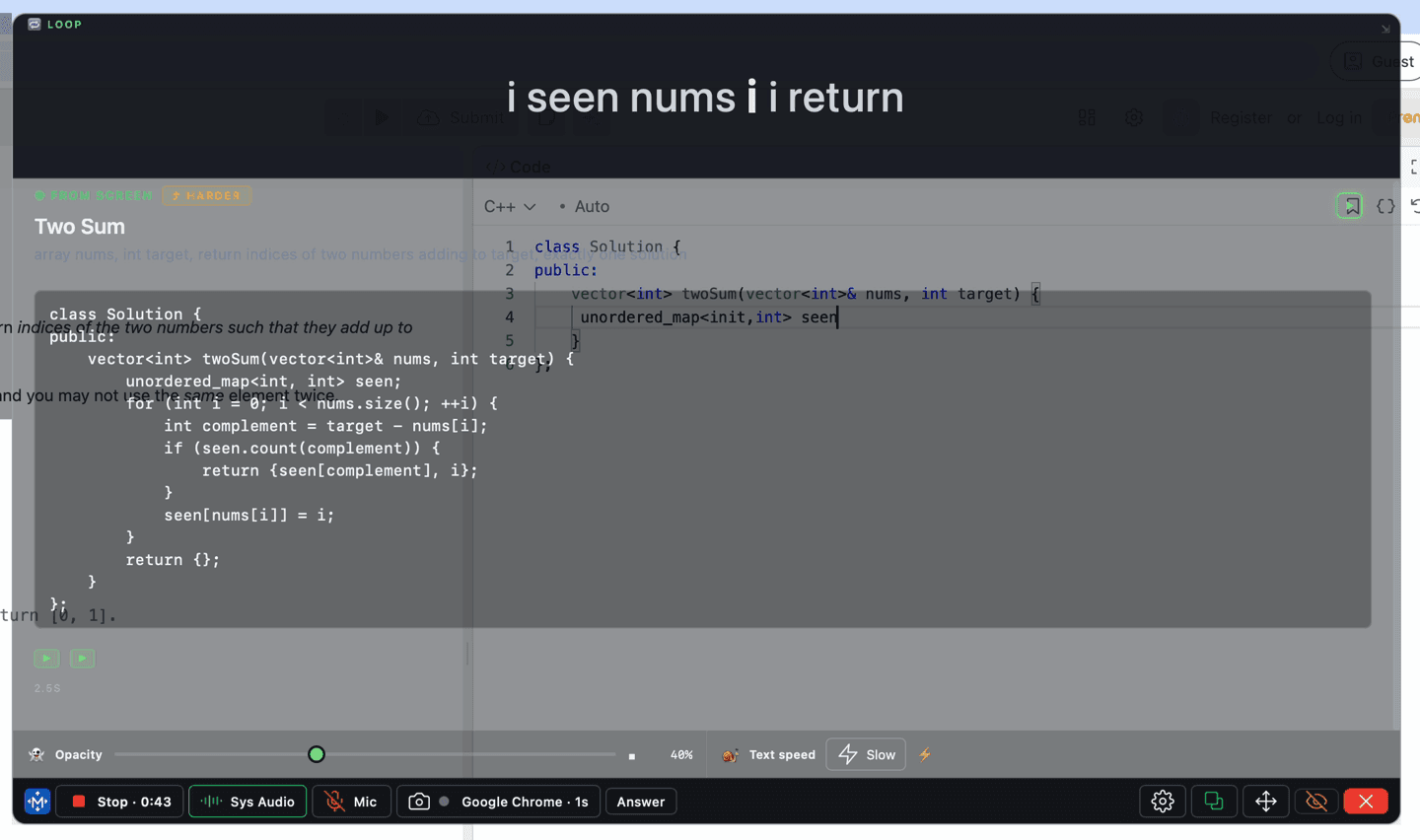
The toolbar strip stays clickable while click-through is on, so the toggle is always reachable. That is the deliberate exception — without it, turning click-through on would be a one-way door.
If the HUD stops responding entirely
On Windows, press —/Ctrl+Shift+L to force it back to interactive. If that does not reach it, quit and relaunch — the setting does not persist across a restart.