Reading
Answer order, the glance reader, and the seven controls that shape the word strip.
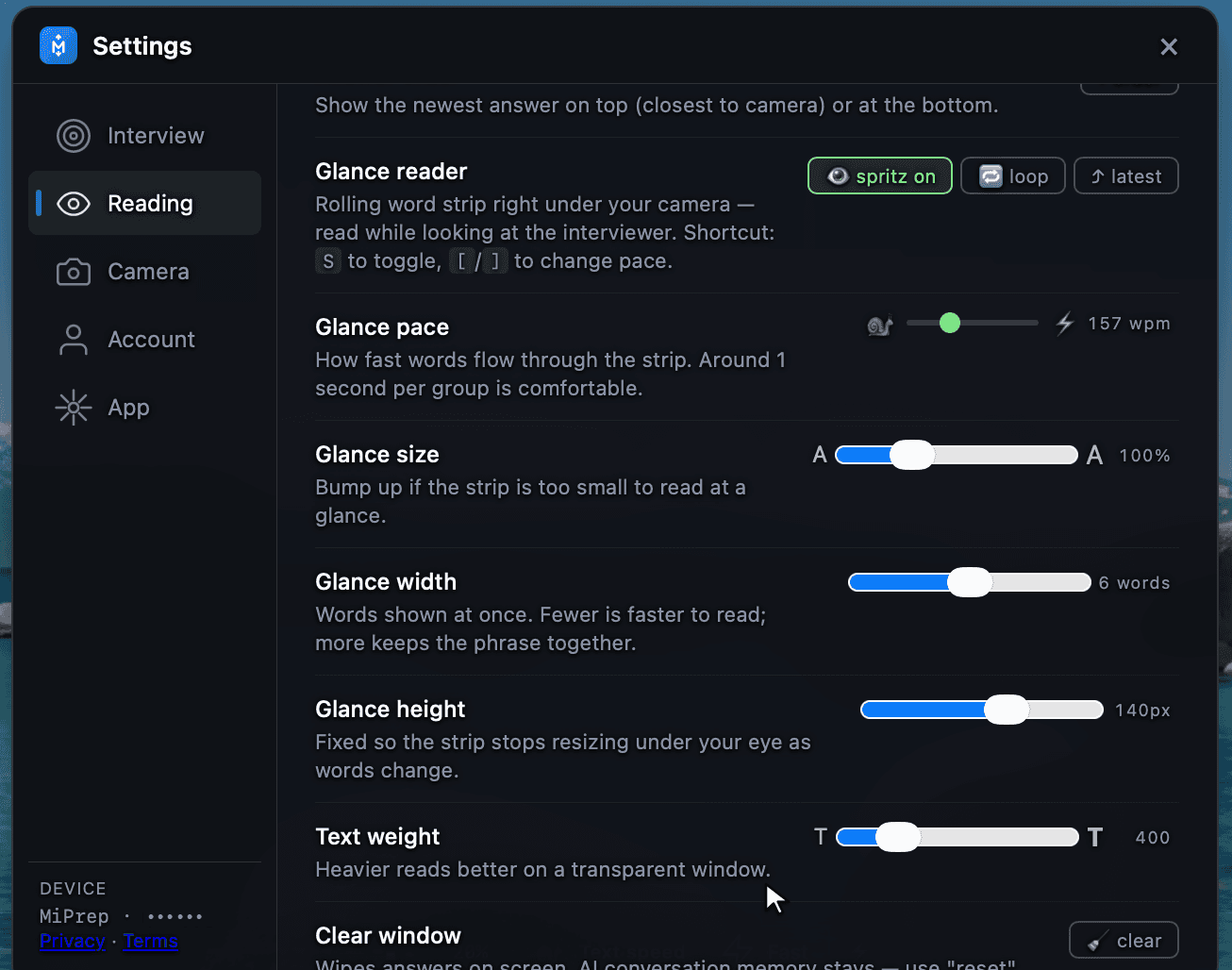
How answers appear on screen, and how easily you can scan them mid-interview.
Answer order
Whether the newest answer appears at the top of the window — closest to your camera — or at the bottom.
Top is the better default for the same reason the word strip sits under the camera: less eye travel between the interviewer and the text. Bottom reads more like a chat log, which some people find easier to follow across a long answer.
Glance reader
A rolling word strip directly under your camera, so you can read while looking at the interviewer.
S toggles it. [ and ] change the pace.
| Mode | What it does |
|---|---|
| spritz | One group of words at a time in a fixed position. Your eyes do not move at all. |
| loop | Replays the current answer continuously — useful while you are still talking through it. |
| latest | Jumps to the newest answer the moment it arrives. |
The strip controls
| Control | What it does | How to set it |
|---|---|---|
| Glance pace | Words per minute through the strip. | Around one second per group is comfortable. Raise it once you are used to reading this way. |
| Glance size | Text size of the strip. | Bump it up if the strip is too small to read at a glance. If you are squinting, it is too small. |
| Glance width | How many words show at once. | Fewer is faster to read; more keeps a phrase together. Around six is the usual compromise. |
| Glance height | Fixed height of the strip. | Fixed on purpose — a strip that resizes under your eye as words change is harder to read than one that is slightly too tall. |
| Text weight | Font weight. | Heavier reads better on a transparent window. Raise it if you also lower the opacity. |
Clear window
Wipes the answers off the screen.