Interview
Where answers come from, what language the interviewer speaks, how polished the wording is, and how prepared cards decide they match.
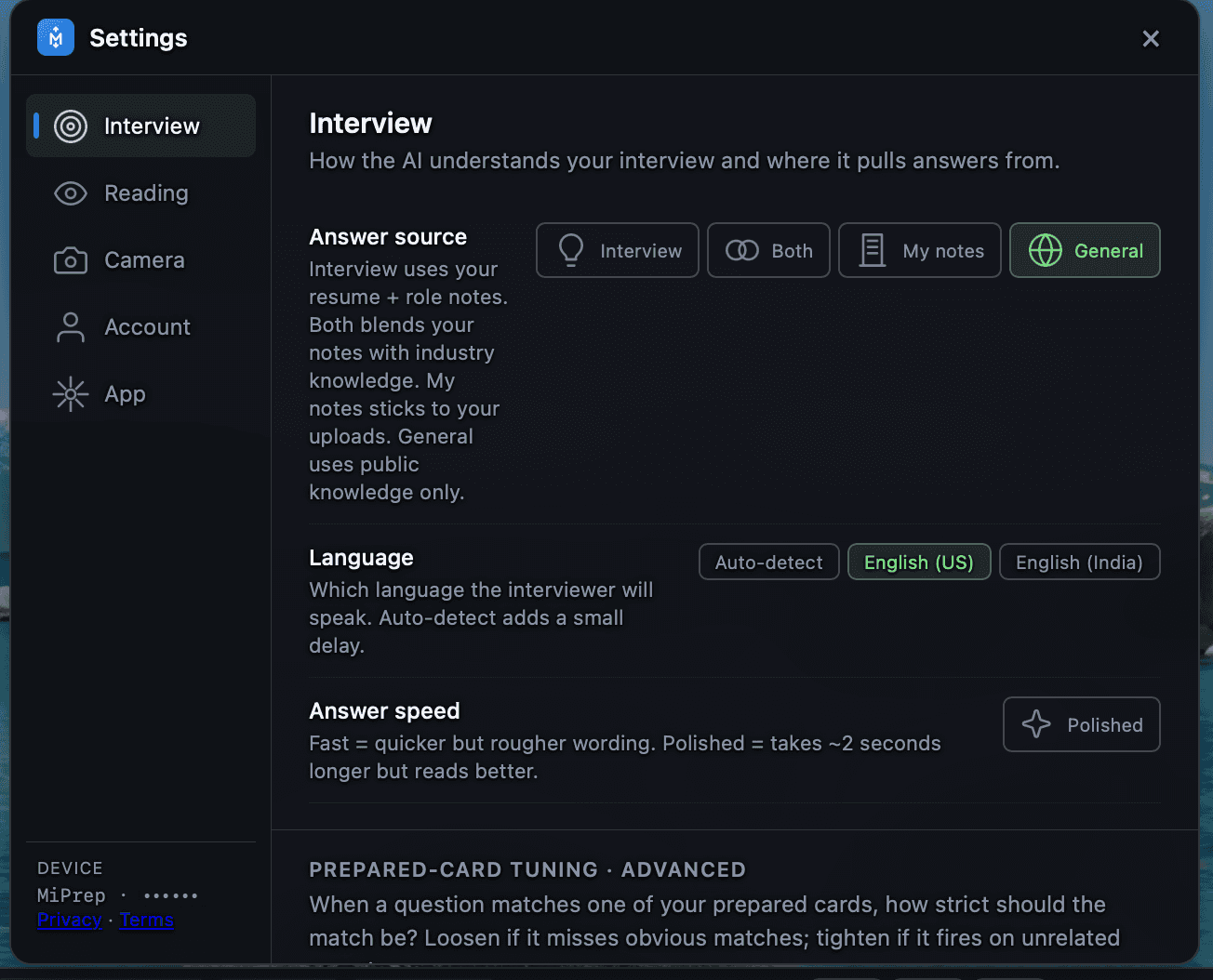
Answer source
The setting that changes answers the most, and the one worth getting right before a real call.
| Source | What it uses | Pick it when |
|---|---|---|
| Interview | Your resume plus your role notes. | The default for a real interview about your own history. |
| Both | Your notes blended with general industry knowledge. | Your material is thin, or the question is half about you and half about the field. |
| My notes | Only what you uploaded. Nothing outside it. | You want a hard guarantee that nothing is attributed to you that you did not write down. |
| General | Public knowledge only. Ignores your material entirely. | You are practising a topic rather than rehearsing your history. |
My notes is the strictest and the safest choice for behavioural questions. General is the one to avoid in a real interview — it cannot say anything about you.
Language
Which language the interviewer will speak.
Auto-detect works, but it costs a small delay on every turn while the language is decided. If you know the call is in English, pick the variant and take that latency back. The variant matters for accents and vocabulary, not just spelling — English (India) and English (US) are recognised differently.
Answer speed
| Setting | Effect |
|---|---|
| Fast | Words on screen sooner, rougher phrasing. |
| Polished | About two seconds slower, reads better. |
Fast is usually right live: you are reading for substance and putting it into your own words anyway. Polished is for practice, where you are studying the phrasing itself.
Prepared-card tuning · advanced
When a question matches one of your prepared cards, MiPrep uses the card instead of generating an answer — see Prepared decks for what a card is and how one gets published. This section controls how strict that match has to be. Loosen it if obvious matches are missed; tighten it if a card fires on unrelated questions.
Press Tune for live controls. They take effect immediately, so you can adjust mid-practice and hear the difference on the next question. Reset restores the defaults from your account settings.
| Control | Default | What it does |
|---|---|---|
| Match strictness | 0.60 | How close the wording has to be, 0–1. Higher is stricter. The single knob to reach for first. |
| Speech window | 3 | How many of your most recent words are compared against the card. |
| Match min | 3 | How many of those words must match before the card advances. |
| Advance smoothing | 200 ms | A short delay before advancing, so a half-finished word does not skip a line. |
| Miss reminder | 3500 ms | How long MiPrep waits before telling you it has lost your place. |